Home / Blog / Product Release Update: Airport Operations Analytics, Expanded Flow AI Location Data Support, and Platform Security
Product Release Update: Airport Operations Analytics, Expanded Flow AI Location Data Support, and Platform Security
November 17, 2026
ZRZahid Rawat
Running an airport means watching several operations at once: passengers moving between curb and gate, flights arriving and departing, queues building at border and security checkpoints, and terminal areas filling and emptying through the day. The data behind each of those usually lives in a different system, so getting a clear picture often means opening several reports and lining them up by hand.
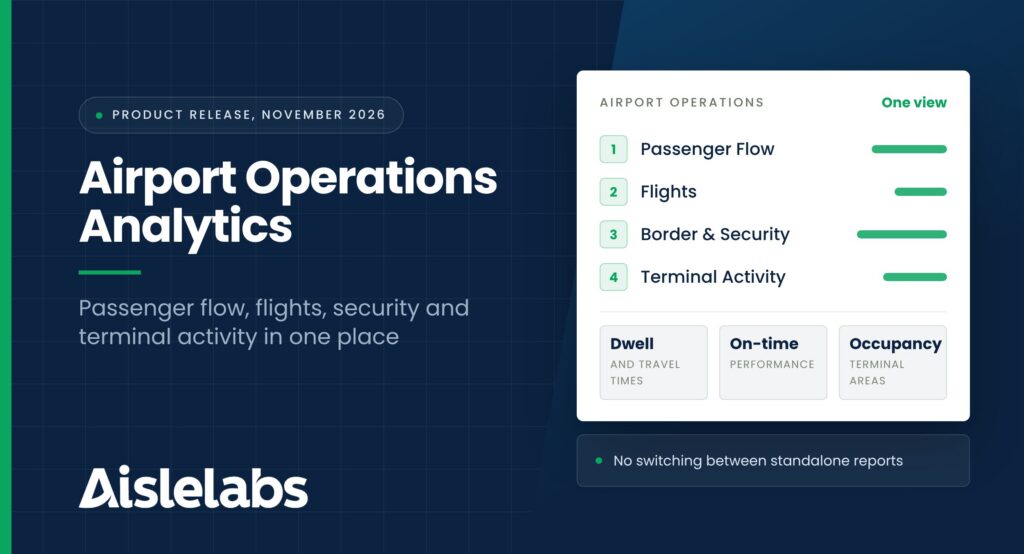
The November release brings that picture together. Aislelabs now offers a dedicated Airport Operations experience that combines passenger flow, flight activity, border and security operations, and terminal analytics in one place. This release also expands the location-data sources Flow AI can work with, adds support for calibrated Wi-Fi positioning in Flow AI, and strengthens security and access management across Aislelabs Connect and on-premise deployments.
In This Release
Airport Operations: a new module with Passenger Flow, Flights, Border & Security Operations, and Terminal Activity reporting
Flow AI: support for Cisco DNA Spaces Firehose and Cisco CMX location data, mixed signal and coordinate data within a site, and calibrated location analytics
Platform: security, authentication, and access management updates across Aislelabs Connect and on-premise deployments
New: Airport Operations Module for Airport Analytics and Monitoring
Airport Operations
The Airport Operations module gives airport teams one place to monitor passenger movement, flight activity, border and security processing, and terminal performance. Instead of moving between standalone reports for each operational area, your team can review the airport as a connected system, from the moment passengers arrive to the moment they board.
Airports are among the most complex environments Aislelabs supports. Passenger volumes shift with every flight bank, a single delay can ripple through security lanes and gate areas, and different teams own different parts of the journey. Bringing those operational data sources into one experience makes it easier for operations, terminal, and planning teams to work from the same view.
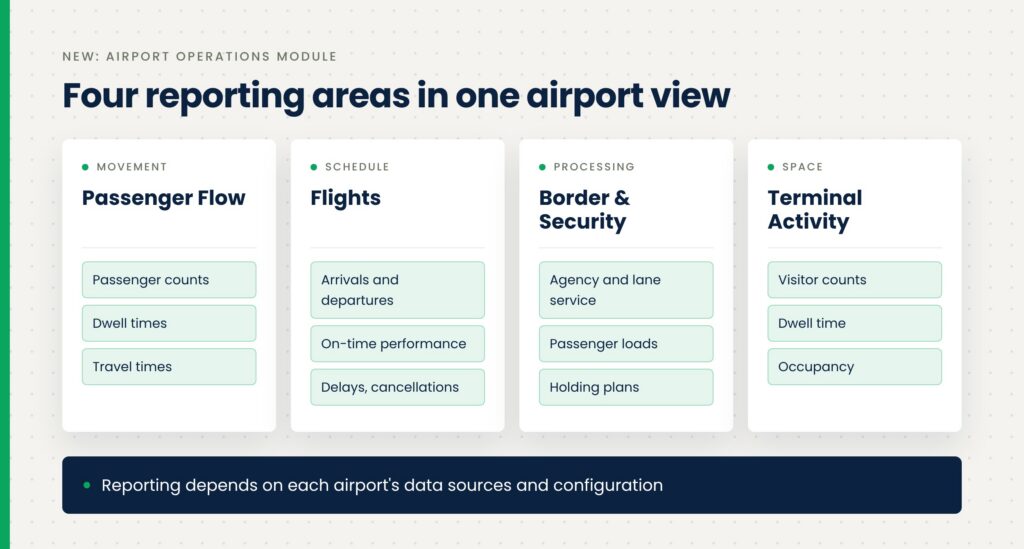
The module is organized into four dedicated reporting areas.
Passenger Flow. Analyze how passengers move across arrival, departure, and any other flows configured for your airport. You can review passenger counts, dwell times, and travel times between airport areas, which helps you see where passengers spend time and where movement slows down. For example, comparing travel times from check-in to security across the day can show when the departure flow is under the most pressure.
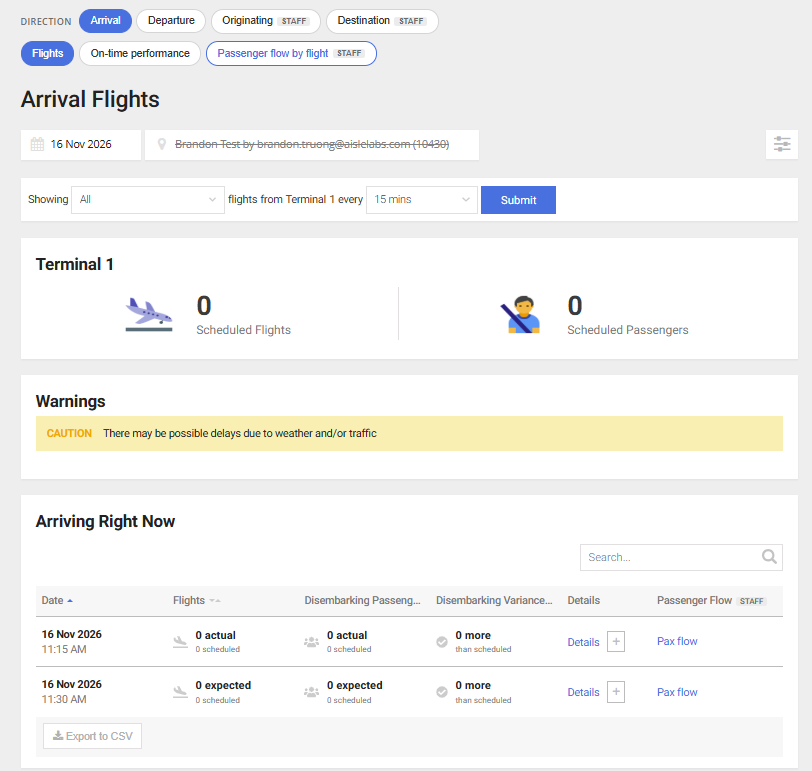
Flights. Monitor flight arrivals and departures alongside the passenger activity associated with them. On-time performance reporting covers flight delays and cancellations, so you can connect what’s happening on the schedule with what’s happening in the terminal.
Border & Security Operations. Monitor passenger processing activity and review service levels across the agencies and lanes configured for your airport. You can also access operational information such as passenger loads and holding plans, giving your team the context it needs to plan staffing and respond as volumes change.
Terminal Activity. Understand how terminal areas are used through visitor counts, dwell-time reporting, and occupancy information. This is useful for spotting which areas are busiest at which times and for understanding how passengers use the space between processing points.
Together, these areas give airport teams better visibility into passenger movement and airport performance without having to stitch together multiple reports. Because the module brings different operational data sources into one place, the reporting you see reflects your airport’s own setup.
Available reporting depends on each airport’s data sources and configuration. Contact Aislelabs to learn more about enabling the Airport Operations experience.
From our work with airports: Aislelabs already supports airport environments with Wi-Fi analytics, including the US airport featured in our published case studies. The Airport Operations module builds on that experience by bringing flight, processing, and terminal data into the same view.
Improved: Support for More Location-Data Sources in Flow AI
Flow AI
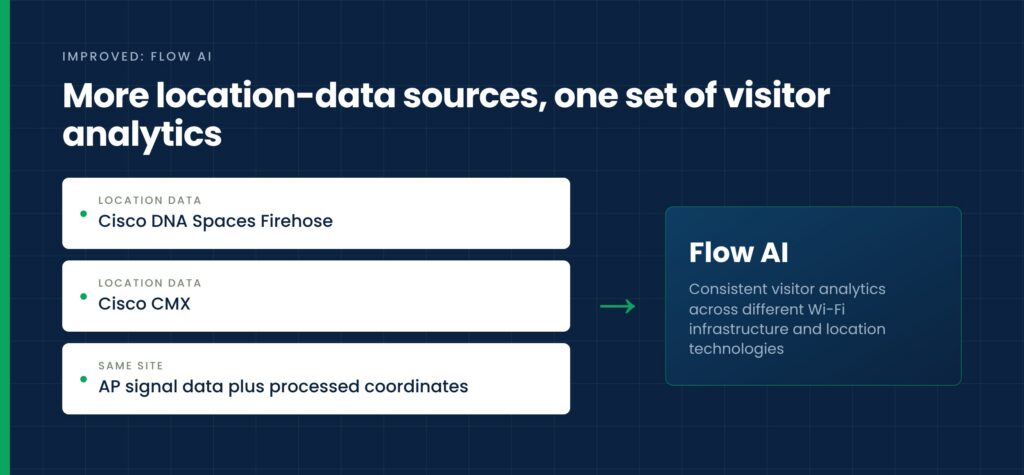
Flow AI now supports additional methods of processing location data from network infrastructure, including Cisco DNA Spaces Firehose and Cisco CMX integrations.
This update also introduces support for combining access-point signal data with processed location coordinates within the same site. That means a single site can draw on both types of data.
The result is more flexibility for properties using different Wi-Fi infrastructure and location-tracking technologies, and more consistent visitor analytics across those environments. You can see the infrastructure Aislelabs works with on our hardware integration page.
Improved: More Accurate Location Analytics for Calibrated Environments
Flow AI
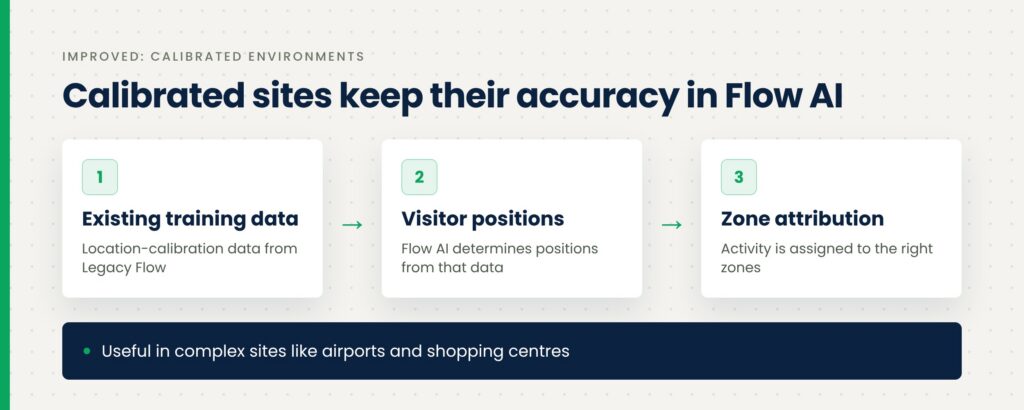
Flow AI now supports additional location-calibration methods previously used in Legacy Flow.
For sites using calibrated Wi-Fi positioning, the platform can use existing location-training data to determine visitor positions and assign activity to the right zones. That matters most in large, complex environments such as airports and shopping centres, where accurate location attribution is essential for understanding visitor movement and occupancy.
This also helps preserve reporting consistency as calibrated sites move from Legacy Flow to Flow AI. Combined with last month’s Legacy Flow history backfill, calibrated sites can keep both their historical data and their positioning accuracy through the transition.
Improved: Enhanced Platform Security and Access Management
Aislelabs Connect and on-premise deployments
We’ve introduced updates to strengthen security, authentication, and access management across Aislelabs Connect and supported on-premise deployments.
These improvements make guest Wi-Fi authentication more reliable, strengthen session validation, and add controls for managing deployment configurations and access permissions. Updates to monitoring and audit capabilities also give administrators greater visibility into platform activity and support more secure, consistent operations.
Together, these enhancements help maintain a secure and reliable experience for guests and administrators alike. You can read more about how Aislelabs approaches data protection on our security page.
Frequently Asked Questions
What is the Aislelabs Airport Operations module?
The Airport Operations module is a new Aislelabs experience that brings passenger flow, flight activity, border and security operations, and terminal analytics together in one place. It’s designed to give airport teams visibility into passenger movement and airport performance without navigating multiple standalone reports.
What reporting does the Airport Operations module include?
The module includes four reporting areas: Passenger Flow, Flights, Border & Security Operations, and Terminal Activity. Together they cover passenger counts, dwell and travel times, flight arrivals and departures, on-time performance, processing service levels across agencies and lanes, and terminal occupancy.
Can airports track on-time performance in Aislelabs?
Yes, the Flights reporting area shows flight arrivals and departures with on-time performance, including delays and cancellations. You can review this alongside passenger activity for those flights.
How do I enable Airport Operations for my airport?
Contact Aislelabs to discuss enabling the Airport Operations experience. Available reporting depends on your airport’s data sources and configuration, so our team will review what’s available for your site.
Does Flow AI support Cisco DNA Spaces and Cisco CMX?
Yes, Flow AI now supports processing location data through Cisco DNA Spaces Firehose and Cisco CMX integrations. It can also combine access-point signal data with processed location coordinates within the same site.
Will calibrated sites keep their accuracy when moving from Legacy Flow to Flow AI?
Yes, Flow AI now supports the location-calibration methods used in Legacy Flow, so calibrated sites can use their existing location-training data. This helps preserve reporting consistency as those sites transition to Flow AI.
Need Help?
If you have questions about these improvements, feature availability, or getting started, contact your Aislelabs representative or the Aislelabs Support team. If you’re new to Aislelabs, you can see the full product lineup or request a demo to explore how Aislelabs can transform your business with WiFi marketing and analytics.
Turn your WiFi from a Cost Center to a Profit Center.See how venues measure foot traffic, dwell time and guest engagement with the WiFi they already run.Request a Demo